Skillshare: Online Classes App
- 4.1
- Rating
- 1.00M
- Installs
- Free
- Price
 Analysis by App-foxy
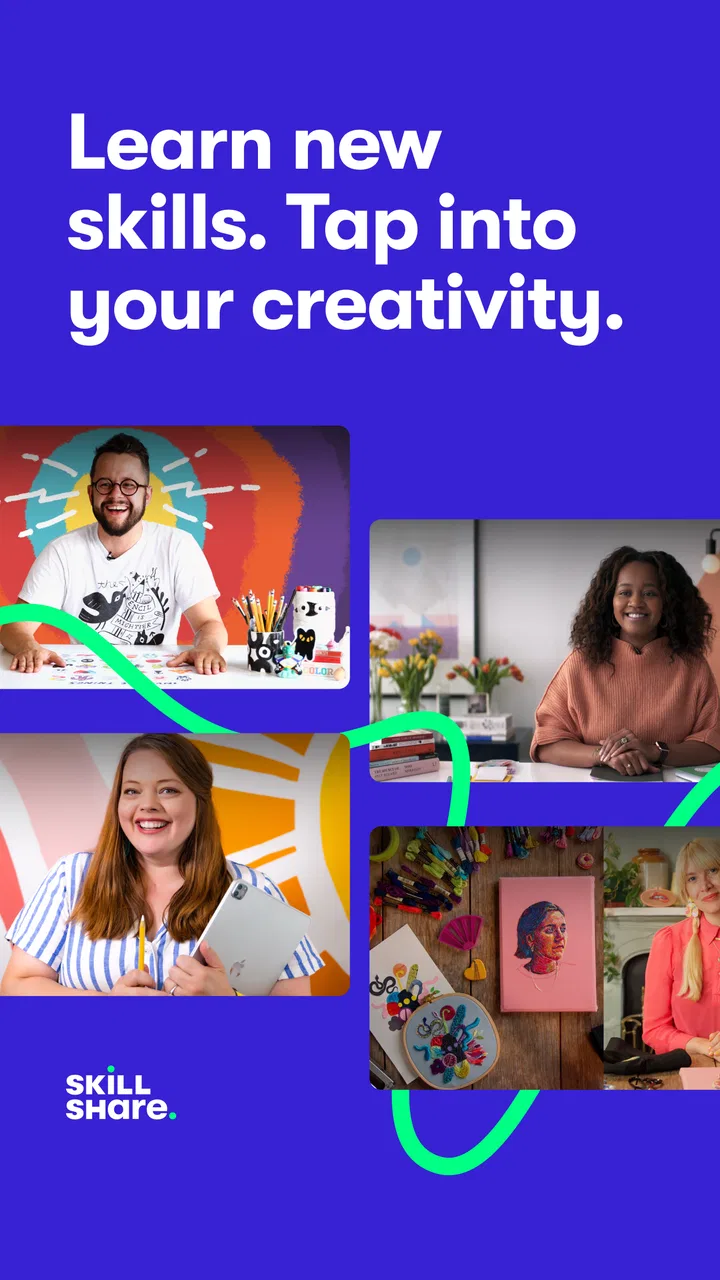
I approached Skillshare: Online Classes App as a practical learning tool rather than something to browse casually. Its focus is creative education, with lessons covering areas such as photography, drawing, sketching, illustration, and other hands-on skills. That focus makes it appealing if you want guidance from a class instead of piecing together disconnected videos from a general platform.
The app is developed by Skillshare, Inc and is available as a free download for Android users. It is rated for Everyone, supports devices running Android 5.0 or later, and has reached over a million installs. Its overall average sits at 4.1 from roughly 59 thousand ratings, which suggests a generally positive experience but also leaves room for the practical frustrations that come with a large subscription-based learning library.
My main impression is that this is best used as a structured companion for a personal project. It is not a replacement for practice, feedback, or a formal qualification. When I treated each class as a small course with a clear outcome, the app felt much more useful than when I simply opened it and browsed through attractive thumbnails.
You May Also Like

 Blood Strike: 2.5 Anniversary
Blood Strike’s Loadouts Turn Every Drop Into a Tactical Gamble
A close look at Blood Strike’s custom loadouts: how fast access to signature weapons reshapes its battle royale rhythm, rewards preparation, and narrows the gap between fights.

 Pandora - Music & Podcasts
Pandora’s Music Is Easy to Start, but Harder to Recover
Pandora’s strength is its low-effort path from a seed to a station. Its weak spot is how much confidence it asks you to place in connection, setup, and quiet recovery.

 8 Ball Pool
 Is Built on Rivalries, Rematches, and Routine
A close look at the rivalries, rematches, shared routines, and unanswered safety questions that turn a quick pool match into a persistent mobile community.

 Samsung Music
’s Quiet Strength Is Playing What You Already Own
Its reach comes less from spectacle than from dependable access to a personal library. That simplicity is both the app’s strongest retention engine and its ceiling.

 AccuWeather: Weather Radar
AccuWeather Review: A Quick, Clear Forecast for Everyday Decisions
For everyday plans, the best forecast is the one you can understand quickly. AccuWeather makes rain timing, radar, and local conditions easy to act on, with a few trade-offs.

 Hill Climb Racing
Why Hill Climb Racing Still Turns Crashes Into One More Run
A tiny car, a bumpy hill and one more upgrade: Hill Climb Racing keeps resurfacing because its simple chaos makes every near-miss feel personal.
More From Our News Desk



Building a repeatable learning routine
I use a repeatable routine to keep creative learning manageable: choose one small outcome, set up the materials, and decide what will count as a completed session before opening a lesson. That makes it easier to tell whether the class is helping or whether I need a different kind of support. The next section looks at what to check when a session gets interrupted or the app seems to be getting in the way.
Start with a project, not a topic
The easiest way to waste time in a creative learning app is to search broadly without deciding what you want to make. Skillshare has enough variety to encourage that habit. One class leads naturally to another, and browsing can feel productive even when nothing is being applied.
I get better results by choosing a small project first. For example, I might decide to create a simple illustrated card, improve the composition of a photograph, or complete a short sketch series. Then I look for a class that supports that goal. This changes the app from an entertainment feed into a working reference.
This approach also helps me judge whether a lesson is suitable before committing to it. A beginner drawing class may be useful for learning control and shape, while a more specialized illustration lesson may assume that I already understand those basics. Matching the class to the project prevents the common mistake of choosing the most impressive-looking course instead of the most useful one.
Use the lesson as a working session
I would not recommend watching a complete class in one sitting unless you are only evaluating it. Creative instruction usually becomes valuable when I pause, repeat a step, and try it with my own materials. A lesson about photography, for instance, is more useful when I stop to examine my own images rather than passively watching someone else edit theirs.
A simple routine works well: watch enough to understand the next action, pause, perform it, and then return to the lesson. This feels slower than uninterrupted viewing, but it produces something tangible. It also exposes gaps quickly. If I cannot reproduce a step, I know exactly where I need to review instead of discovering at the end that I remember very little.
For drawing and sketching, I find it helpful to keep the same paper, pencil, or digital workspace ready before starting. Switching tools halfway through can make a technique seem harder than it is. The app can provide the instruction, but the consistency of the workspace determines whether the practice becomes repeatable.
Separate inspiration from instruction
Not every class should be treated as a technical tutorial. Some lessons are more valuable for showing a way of thinking, planning, or developing an idea. I try to identify that difference early. If a class is mainly inspirational, I take notes about its process and adapt the approach to my own project. If it is skill-focused, I slow down and copy the exercise before changing it.
This distinction is especially important for photography. A creator’s visual style may be appealing, but copying the final look is less useful than understanding how the image was planned, framed, or edited. Skillshare works best when I borrow the process rather than expecting the app to give me a ready-made style.
Make progress visible
One useful habit is to keep a small record outside the app. I might save a first attempt, write down the exercise I completed, and note one problem to address next time. This gives each class a practical endpoint and makes improvement easier to see.
Without that record, it is easy to confuse exposure with progress. Watching several lessons about sketching does not necessarily improve observation or line confidence. A dated sequence of attempts, even a very informal one, tells me more than the number of classes I have opened.
The strongest workflow is class, practice, comparison, and adjustment—not class after class without making anything.
Who benefits most from this approach?
The app suits curious beginners, self-taught creatives, and intermediate learners who want a guided push in a particular direction. It can also work for someone returning to a hobby after a long break, because a focused class gives the first session a clear shape.
I think it is less suitable for a learner who needs a fixed academic syllabus, examinations, official certification, or direct correction from an instructor. It is also not the ideal choice if you only want quick answers to isolated technical questions. A concise reference guide or a targeted tutorial may be faster for those moments.
Settings and account choices worth checking
Before settling into a routine, I would check the app’s playback and account options on the device being used. The practical goal is to make lessons easy to pause, resume, and follow while working. Small adjustments to how content is viewed can matter more than searching for another class.
I also recommend deciding whether the phone or tablet is really the best screen for the subject. A phone is convenient for short viewing, but a larger display is more comfortable when a lesson includes visual detail, drawing demonstrations, or editing steps. For hands-on work, I prefer placing the device where I can glance at it without constantly picking it up.
Because the app is free to install but includes in-app purchases ranging from $9.99 to $167.99 per item, I would review the purchase terms carefully before starting a long learning plan. The free download makes exploration easy, but a serious routine may involve paid access. I would not begin by assuming that every class is available in the same way or that installing the app alone completes the cost decision.
That is also why I would test the learning experience before planning an ambitious curriculum around it. Open a class in a subject you genuinely care about, follow part of an exercise, and decide whether the teaching style works for you. This is a better test than judging the app by its catalog size or by a polished preview.
Keep the interface from becoming the lesson
When using a mobile learning app, interruptions can easily break concentration. I prefer preparing the session before I start: materials on the desk, the project file open, and a short goal written down. That way, I am not repeatedly leaving the lesson to find supplies or decide what to do next.
This matters particularly for photography and digital art. If I am watching a demonstration while moving between apps or tools, I can lose the sequence of actions. A short pause to reproduce the step is usually more efficient than trying to remember several actions and correcting them later.
Use short sessions with a defined stopping point
Skill-building benefits from repetition, but long sessions are not automatically better. I prefer stopping after one exercise or one meaningful section. The stopping point should be something concrete, such as completing a page of sketches, selecting a photograph to edit, or testing one composition idea.
This makes it easier to return later without wondering where to begin. It also prevents the app from turning into background entertainment. If a session ends with a visible result, even an imperfect one, I am more likely to continue the next day.
Faster patterns for experienced users
Once I know what I want to improve, I stop treating every class as a linear viewing experience. I look for the part that addresses my immediate obstacle, then return to the earlier explanation only if I need the context. This is particularly useful when I already understand basic tools but struggle with decisions such as composition, contrast, proportion, or visual hierarchy.
The trade-off is that skipping around can hide important assumptions. I use this faster pattern only after identifying the specific problem. If I am learning an unfamiliar medium, I follow the sequence more carefully because early exercises often prepare the hand and eye for later work.
Another efficient pattern is to compare two classes through the exercises they ask me to perform, not through their titles. If both appear to cover the same creative area, I choose the one whose assignment fits my current project and available time. The class that produces a usable result is usually more valuable to me than the one with the broadest description.
Turn one class into several practice cycles
A class does not have to be completed once and then abandoned. I can use the same instruction in three passes: first to understand the method, second to reproduce it closely, and third to adapt it to my own subject. This is a simple way to move from imitation toward independent work.
For example, after following a sketching exercise, I might repeat it with the same kind of object, then use a different object under different conditions. In photography, I might study the demonstrated idea, recreate it with my own scene, and finally apply the principle without copying the original framing. That final step reveals whether I learned a technique or merely followed directions.
Pair classes with a personal reference system
I find it useful to save brief notes under practical headings: “try again,” “works for me,” and “needs more explanation.” This keeps the app from becoming a collection of half-remembered lessons. I can return to a technique when a new project demands it instead of browsing from the beginning.
The notes should describe decisions, not just names. “Use stronger shapes before details” is more useful later than a vague reminder that a class discussed composition. The same principle applies to photography: recording why a framing choice worked helps me transfer the idea to a different subject.
This habit is one of the clearest differences between casual use and serious use. The app supplies access to instruction, but the personal reference system turns that instruction into something I can apply repeatedly.
Where the app reaches its limits
The biggest limitation is the distance between watching a creative process and receiving individual feedback. I can compare my result with the instructor’s example, but the app cannot automatically tell me why my drawing feels stiff, why my photograph lacks emphasis, or which part of my workflow is causing the problem. At some point, another person’s critique becomes more useful than another class.
There is also a risk of collecting techniques without developing a personal direction. A large creative catalog can make every new subject feel urgent. I have to be selective and accept that some interesting lessons should remain on the wish list while I finish the project already in front of me.
Another trade-off concerns depth. A class may introduce a method clearly but still leave complex variations for independent practice. That is not necessarily a flaw, but it means I should not expect one lesson to cover every material, style, or difficult edge case. For advanced learners, the value may be in finding a useful perspective rather than receiving a complete technical manual.
When another option makes more sense
If I need a very specific answer—such as one tool command, a narrow camera setting, or a quick fix to a single problem—I would probably choose a focused reference source instead. Skillshare makes more sense when I want a sequence, a creative framework, or encouragement to complete a project.
If I need formal progression and assessment, a structured course provider with tests and instructor review would be a better match. If I only want inspiration, a visual community may offer more variety with less commitment. Skillshare sits between those choices: more organized than random browsing, but more flexible and less formally supervised than academic study.
How the free entry changes the decision
Since the app costs nothing to install, the sensible way to evaluate it is through a small experiment. Choose one subject, set aside a few sessions, and make a finished piece or a clear set of studies. If the lessons help you move from intention to action, the app has earned a place in your routine. If you only browse and save ideas, the problem may be the workflow rather than the catalog.
I would also keep the purchase decision separate from enthusiasm. Being excited by several classes is not the same as knowing that the learning format suits you. Try the actual process first, then consider whether continued access justifies the available in-app purchase for your goals.
My final view after using it as a practice tool
Skillshare: Online Classes App is a useful education app for creative learners who want guided projects and a broad starting point for photography, drawing, sketching, and related skills. I like it most when I use it deliberately: one project, one relevant class, short practice sessions, and notes that turn lessons into reusable methods.
Its weaknesses are equally clear. Browsing can replace practice, instruction cannot replace personal feedback, and advanced learners may need additional sources when a lesson stops short of their particular problem. The paid access model also deserves attention before anyone builds a long-term plan around the service.
The current Android release is version 5.4.81, and the app comes from Skillshare, Inc. For a beginner or returning hobbyist, I think it is worth trying because the free installation lowers the barrier to testing the format. For a disciplined learner, it can become a convenient project companion. For someone seeking credentials, intensive critique, or a complete professional curriculum, I would choose a more specialized alternative.
My recommendation is simple: do not measure its value by how many classes you can browse. Measure it by whether one class helps you finish something you could not confidently make before. Used that way, Skillshare is at its best as a repeatable creative practice system, not merely a library of videos.
FAQs for Skillshare: Online Classes App
01What is Skillshare: Online Classes, and what can I learn with it?
Skillshare is an online learning app focused mainly on creative, professional, and practical skills. After installing it, users can browse classes about illustration, graphic design, photography, video, writing, freelancing, marketing, productivity, and more. Lessons are usually divided into short video segments and may include projects or exercises, making the app suitable for both beginners and learners who want to improve existing abilities.
02Is Skillshare free to download and use?
The Skillshare app can generally be downloaded for free, but access to the complete class catalog usually requires a paid membership. Depending on the current offer, new users may receive a trial period or promotional access before being charged. It is important to review the subscription price, billing frequency, renewal terms, and cancellation rules shown in the Google Play Store or Apple App Store before starting a trial.
03Can I watch Skillshare classes offline?
Skillshare may allow members to save selected classes for offline viewing through the mobile app, which is useful when traveling or using a limited internet connection. However, offline availability can depend on your membership, device, app version, and the instructor’s content settings. Downloaded lessons are normally accessed inside the app rather than as ordinary video files, so they cannot usually be transferred freely to another player.
04Is Skillshare suitable for beginners, or do I need previous experience?
Skillshare includes many beginner-friendly classes, and most course descriptions indicate the expected skill level, required materials, or recommended background. The platform is particularly approachable because lessons are commonly presented in manageable sections with demonstrations and practical projects. Nevertheless, class quality and teaching style can vary between instructors, so checking previews, reviews, project requirements, and the course outline is helpful before committing time to a class.
05Does Skillshare provide certificates or personalized instruction?
Skillshare is primarily designed for self-paced learning and creative practice rather than formal academic certification. Completing a class or project may help demonstrate your learning within the platform, but users should not assume that every course provides an officially recognized certificate. Classes generally do not include guaranteed one-to-one tutoring, although some instructors may offer feedback through project discussions, comments, or community interaction.
Pros
- Wide range of creative
- business
- and technology classes
- Short lessons make it easy to learn in small sessions
- Projects encourage practical application of new skills
- Offline downloads support learning without an internet connection
- Class discussions let learners share questions and feedback
Cons
- Many useful classes require a paid membership
- Course quality and teaching styles can vary considerably
- Some classes feel outdated as tools and trends change
- The large catalog can make choosing a course overwhelming
- Offline content may use significant storage space

Skillshare: Online Classes App
Gallery